
Fallback routing
Fallback routing is a feature of the The Omnichannel API that allows you to choose what channels to try to deliver a message through, and what preference order to try them. Fallback routing lets you create the most effective communication strategies easily, whether your channel preferences are to reduce costs or maximise engagement.
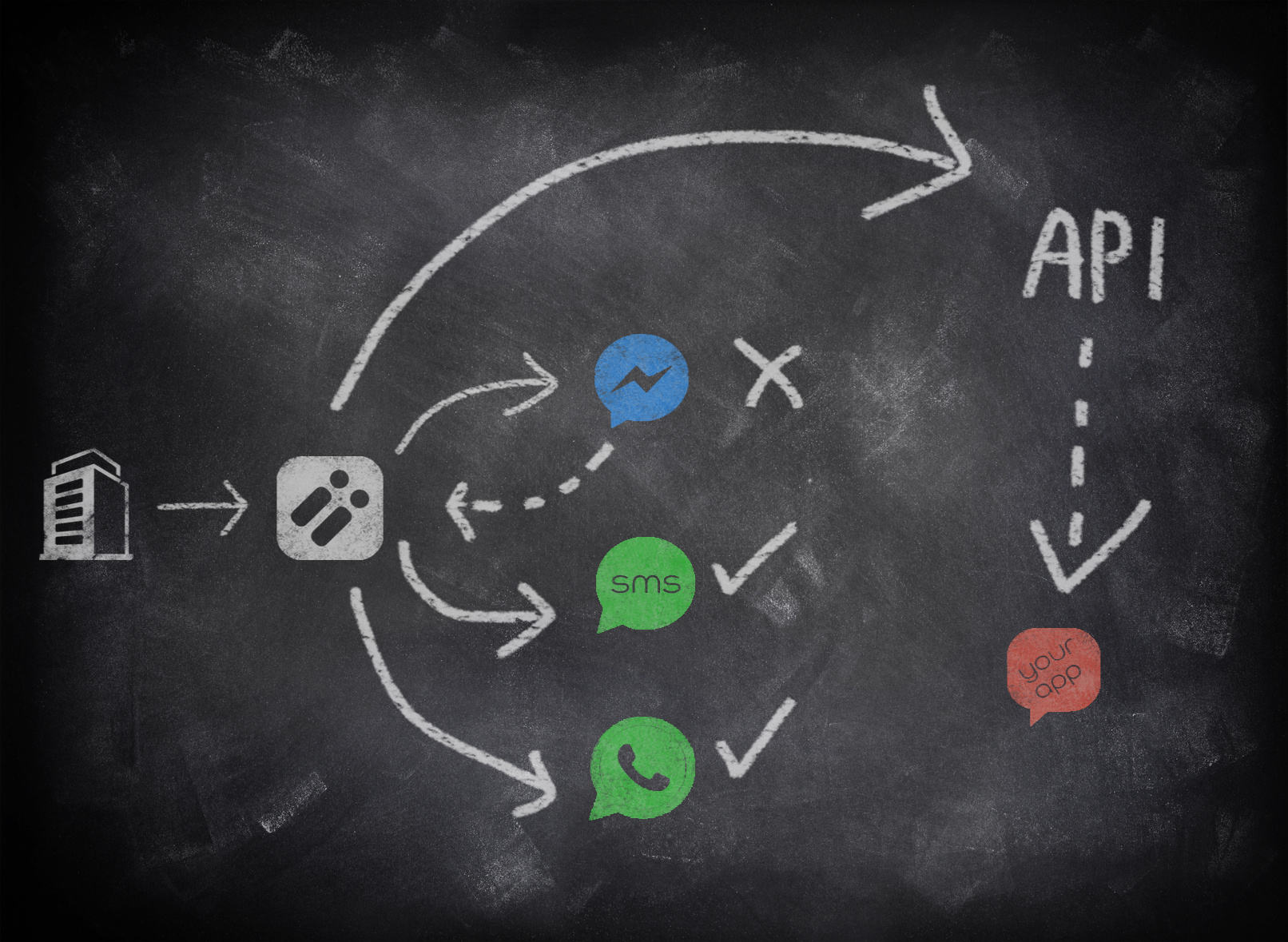
Fallback routing helping you reach your customers
Fallback routing works by trying channels in a priority order for each message sent trying to send to the highest priority channel. If a customer isn't registered on a channel, such as Facebook, then that channel is skipped and the next channel tried.
Example
Try to send the message to a user who has my app first. If they are not an app user, send the message to Messenger. If I can’t reach the user through those channels then send an SMS, as my user/customer must get the message.
Fallback routing supports any messaging channel that is currently available through the Omnichannel API. The most commonly used channels are SMS, Messenger, WhatsApp and App messaging (into your own app). As new messaging channels become available we add them to our messaging “bench”.
Each channel in a fallback routing rule set may require a different addressing field in order to identify the customer on that channel, such as a Messenger ID, so when sending you must pass as much addressing data as you have in order to help fallback routing use the selected channels, otherwise fallback routing may have to skip the channel.
How to use fallback routing
To use fallback routing features with a message send is very simple; you just specify more than one channel to send to in your preference order explicitly in the JSON of your send request:
"rules": [
  "fbMessenger",
  "sms"
  ]
{
"body": "Fallback routing send",
"to": {
"profileId": "[email protected]",
"phoneNumber": "447123123123"
},
"rules": [
"fbMessenger",
"sms"
]
}Updated 12 months ago